Back to work

Speculative Concept · Unsolicited Redesign

Dr. Dabber

A speculative redesign of the companion app for the Dr. Dabber e-rig I actually own. I love the hardware, so I explored how the app could lean even harder into what makes it special — light. A living Aurora Core that glows with the heat, strain LED themes that recolor the entire UI, real heating modes, and a command-center home — all wired to a simulated device you can drive in the browser. A concept and a love letter, not client work.

Product DesignInteraction DesignBrandFront-EndMotion

A self-initiated concept project, built because I love the device. Unofficial — not affiliated with, authorized by, or endorsed by Dr. Dabber. All product names and trademarks belong to their owners.

I love this device — and saw room to dream.

The Dr. Dabber is a genuinely premium piece of hardware — sharp industrial design, a gorgeous programmable LED light ring, and a brand with real polish. I use mine constantly. This is a love letter to it: an exploration of how far the companion experience could go if it leaned all the way into what makes the device special — the version I'd be thrilled to find in the box.

Three ways to let the app shine as bright as the device.

I zeroed in on three opportunities. The home screen — a beautiful product shot today — could double as a living command center with live status and one-tap control. A few favorite controls sit a swipe away, so I brought them front-and-center to make them easy to reach. And the cinematic, electric-cyan world of drdabber.com could carry all the way into the app, so the software feels as premium as the site and the hardware.

None of this is a knock on what's there — it's about amplifying a product I already love.

The Concept / Aurora Core / Dynamic LED Theming
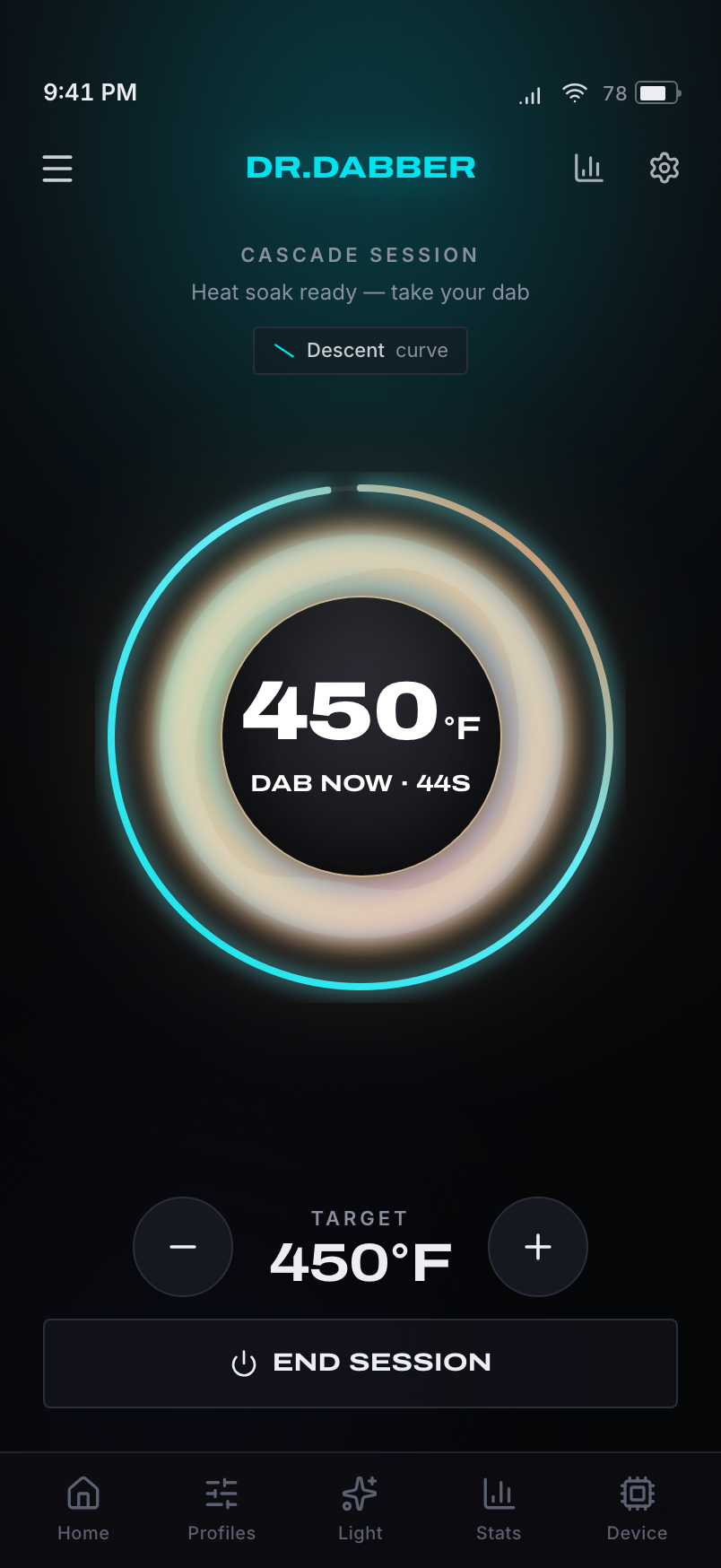
Session screen — the Aurora Core mid-heat with a live temperature ring climbing toward the setpoint and a Dab Now countdown
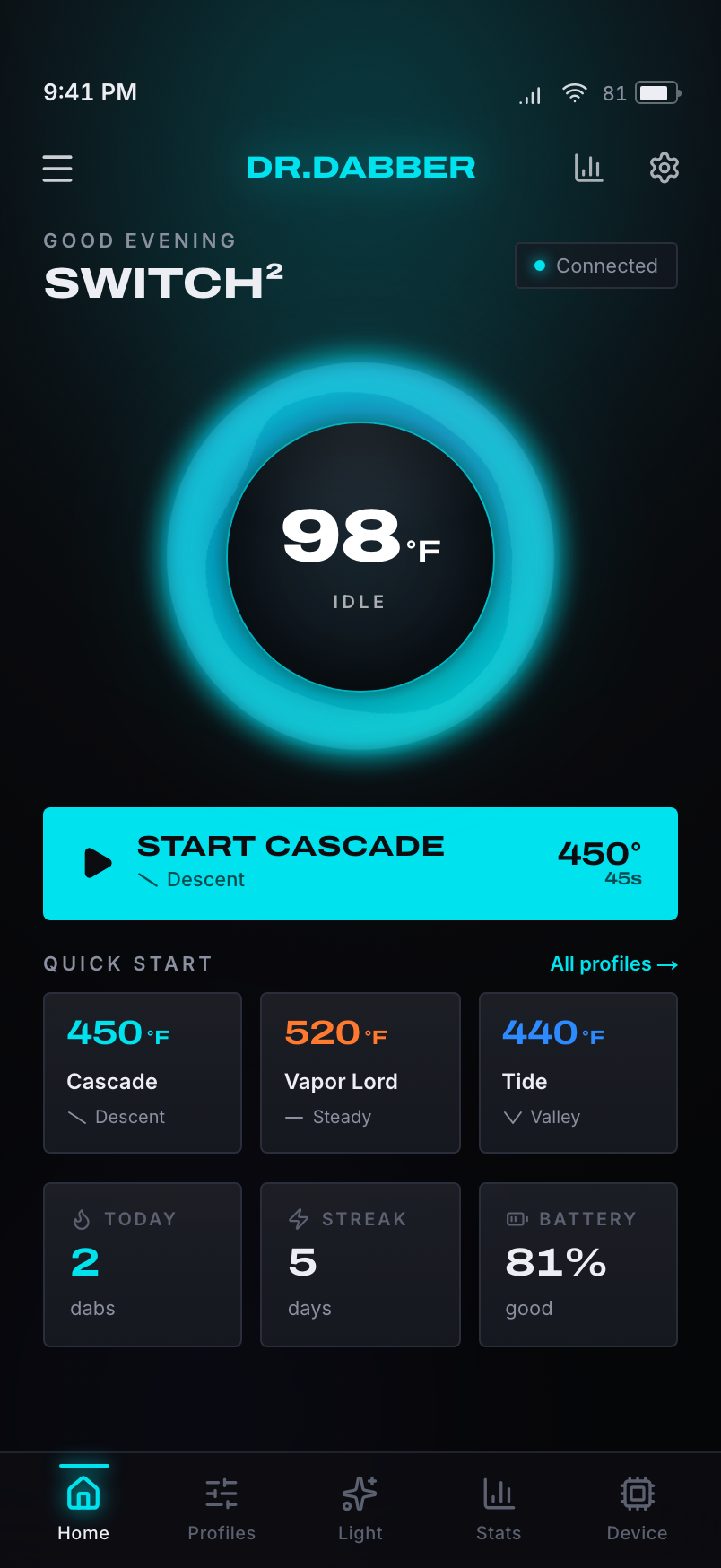
Home command center — the living Aurora Core orb, one-tap start, live status, a quick-start profile row, and usage stats
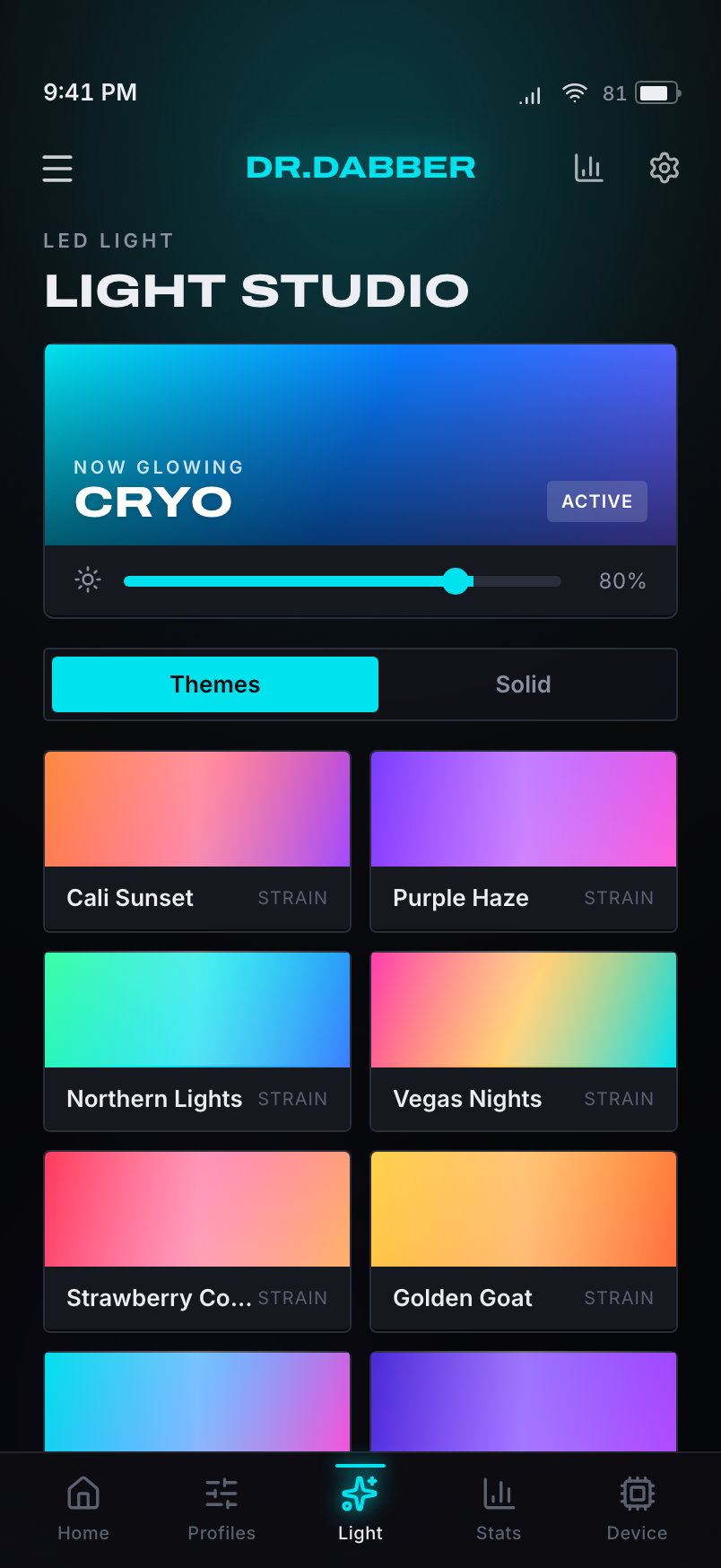
Light Studio — strain LED themes; selecting one washes the entire app in its color

Make the light the soul of the app.

The device's defining feature is its glowing LED ring — so I made glow the organizing idea of the whole experience, then pulled the brand straight off drdabber.com so the app reads as a true extension of the product, not a different one.

Aurora CoreA living, breathing orb of light is the home hero. Live temperature drives its color and intensity in real time — cool brand-cyan at rest, ramping to white-hot, amber, then ember at peak — and it morphs into the session view as you heat up.
Dynamic LED themingPick a strain theme in Light Studio — Cali Sunset, Purple Haze, Miami Vice — and the entire app washes into that color. The signature feature of the hardware becomes the signature feature of the interface.
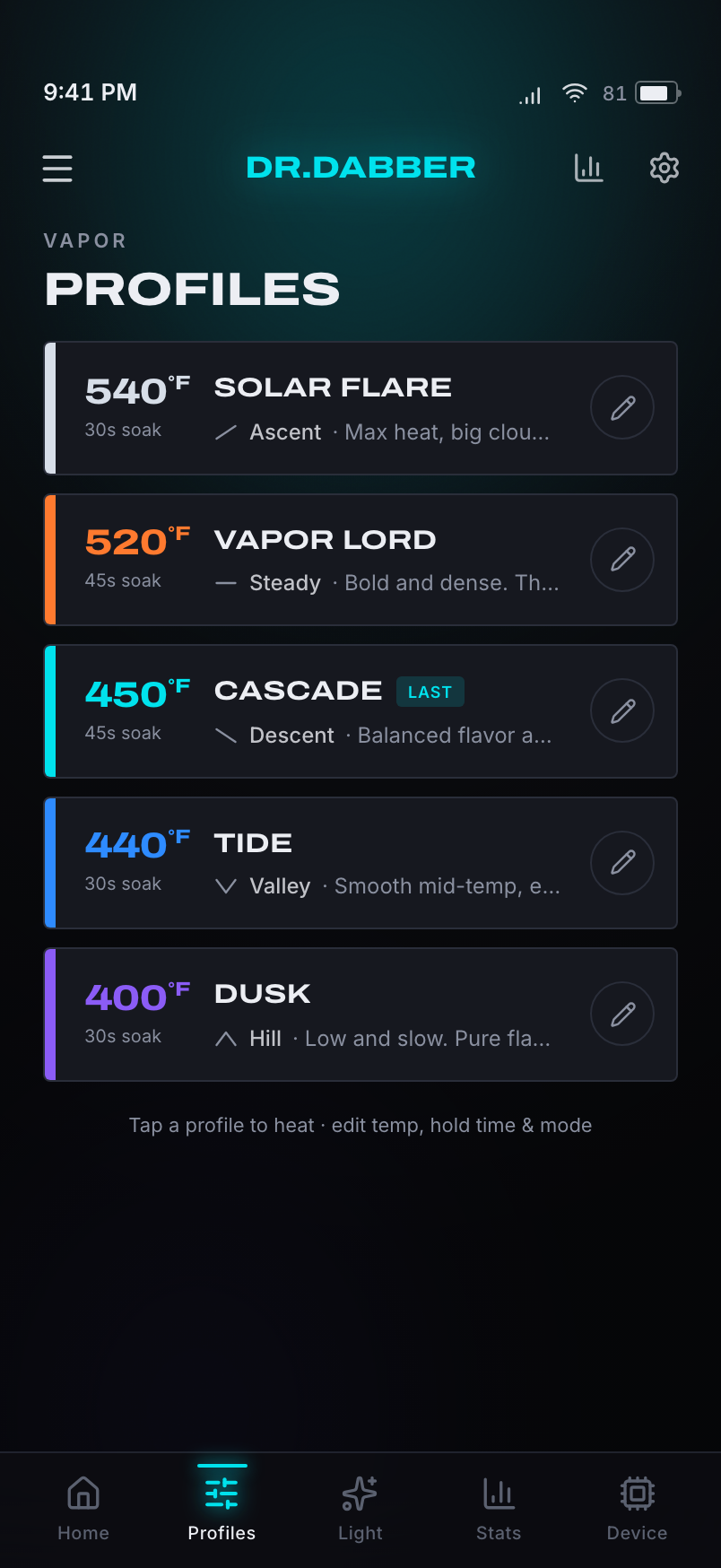
Heating modesEach vapor profile carries a heating curve — Descent, Steady, Ascent, Hill, Valley — drawn as its own icon. You pick an intent, not a single setpoint, and the device ramps on a tuned profile.
A real home + real navigationA command center with one-tap start, live status, and a quick-start profile row replaces the static photo. A persistent bottom tab bar replaces the swipe-up sheet — every screen is one thumb-tap away.
Brand-exactPulled from drdabber.com: the exact electric cyan (#00E2ED), a wide Druk-style display face, sharp flat geometry, and cinematic darkness. The app finally looks like it belongs to the product.

The Product / Seven Screens / iPhone
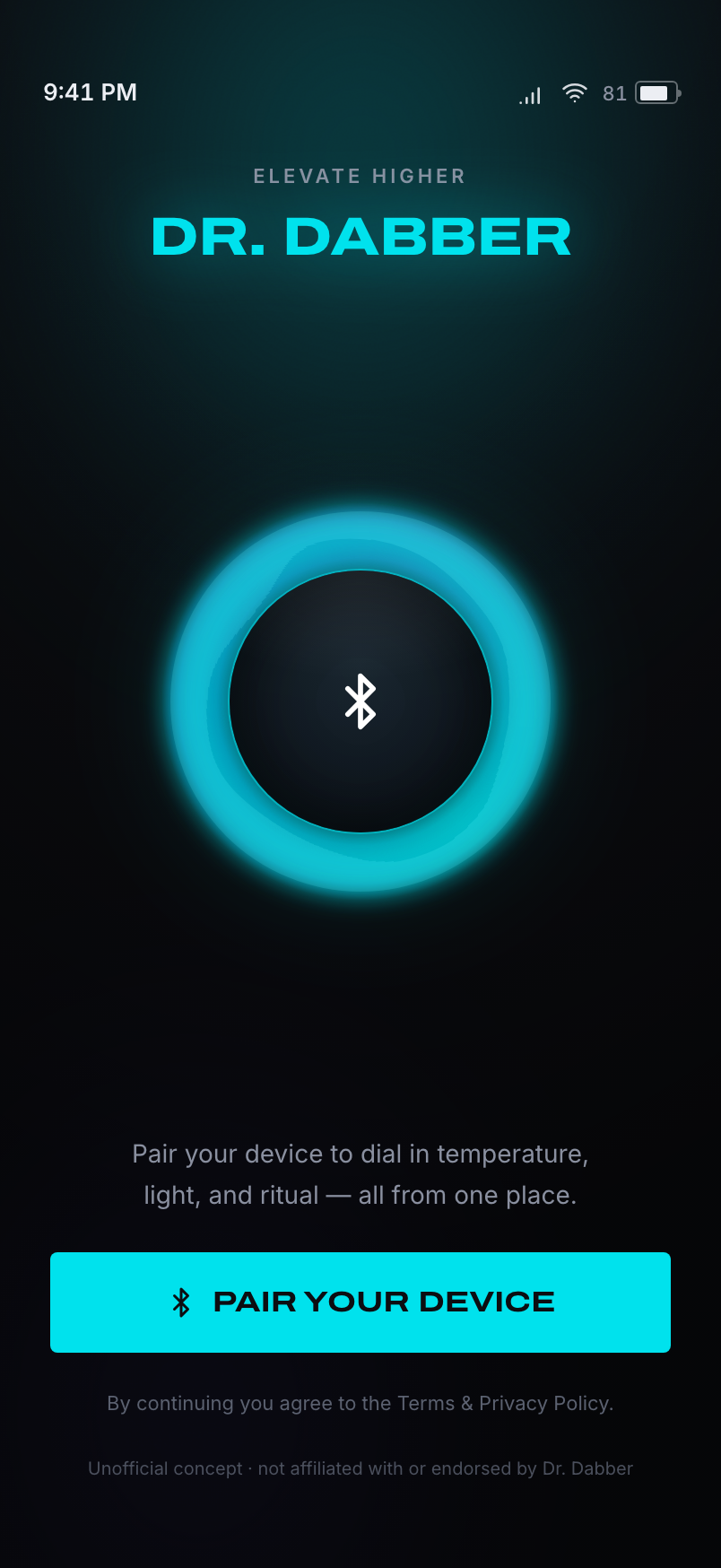
Connect screen — pairing the device with the Aurora Core and a Bluetooth glyph
Connect — pairing
Vapor Profiles — editable temperature, hold-time, and heating-mode presets
Profiles — editable presets
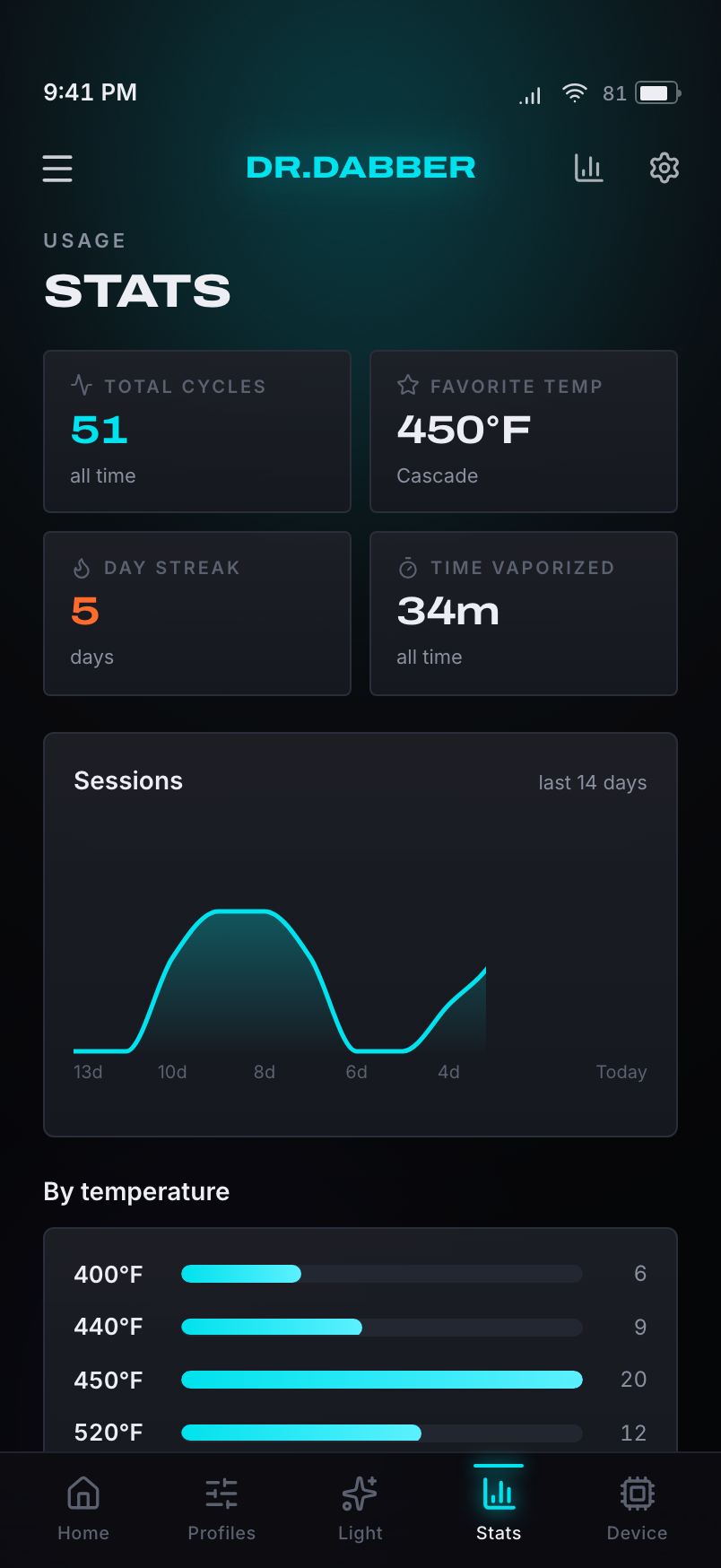
Stats — usage analytics with session trends and a temperature breakdown
Stats — usage analytics
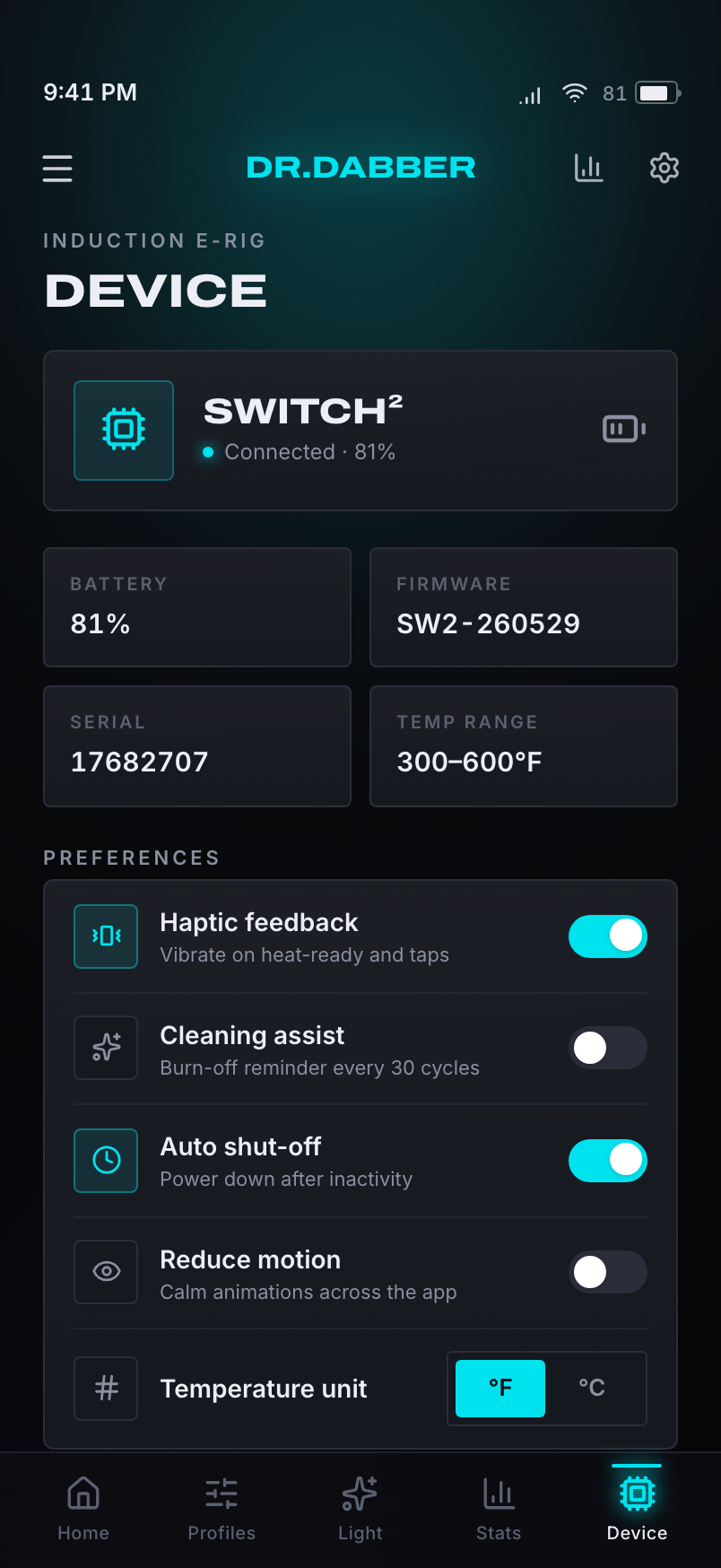
Device — settings, battery, firmware, serial, and preferences
Device — settings & status

A simulated device you can actually drive.

To make a concept feel real, I built a working device simulation — no Bluetooth, no backend, but a model that heats, cools, drains battery, and runs sessions in real time. Everything on the page is live.

Next.js + React
App Router, TypeScript, deployed on Vercel. Full-bleed on a phone, device-framed on desktop.
Framer Motion
Drives the Aurora Core, the screen transitions, and the shared-element morph from the home orb into the session view.
Zustand + rAF tick loop
A single store models the simulated device; a requestAnimationFrame loop ramps temperature, drains battery, and runs sessions frame by frame.
Recharts
Powers the usage analytics — session history over time and a temperature distribution.
Brand-exact tokens
Color, type, and geometry lifted from drdabber.com and expressed as a dark-mode design system.
Archivo + Inter
Free stand-ins for the brand's licensed Druk Wide / Aeonik Pro — swap to the licensed faces for a pixel-perfect match.
7
Fully-built, interactive screens — Connect, Home, Session, Vapor Profiles, Light Studio, Stats, and Device — all driven by one simulated device model. A concept you can use, not a slideshow.

Experience It Live

It's not a mockup. It's the running app.

Everything here is live and interactive — heat the device and watch the Aurora Core ramp, pick a strain and wash the whole app in its color. Simulated in the browser, no install.

Try it yourself

  • Heat a profile — watch the Aurora Core ramp cyan to amber
  • Open Light Studio — pick a strain, recolor the whole app
  • Edit temps and modes, then check your stats

Scan to try on your phone

Next Case Study

PoolPilot